Connect to PoliStack
Connect PoliStack to Claude or ChatGPT and get instant access to political intelligence tools on web, desktop, and mobile.
PoliStack Account Required
You need a PoliStack account to access MCP tools through Claude Connector or any MCP client. The Free plan includes 30 queries per month — no credit card required. Upgrade to Individual, Team, or Institution for higher monthly caps.
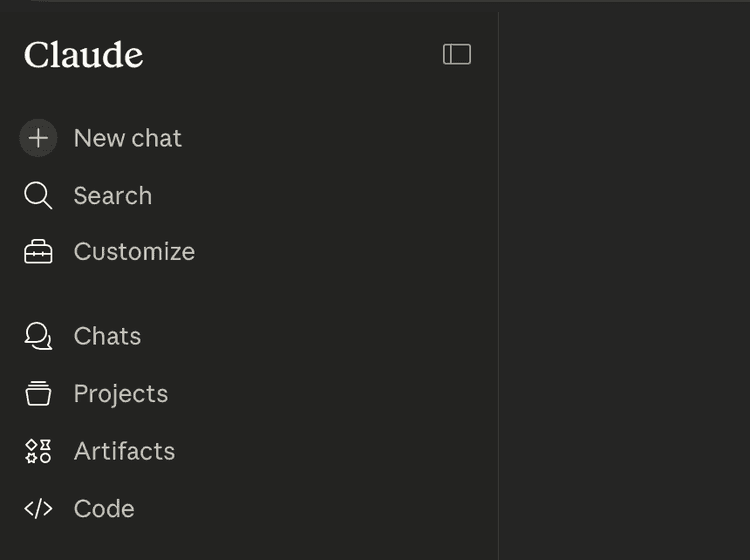
1Open Customize
In the Claude sidebar, click the Customize icon (suitcase icon).
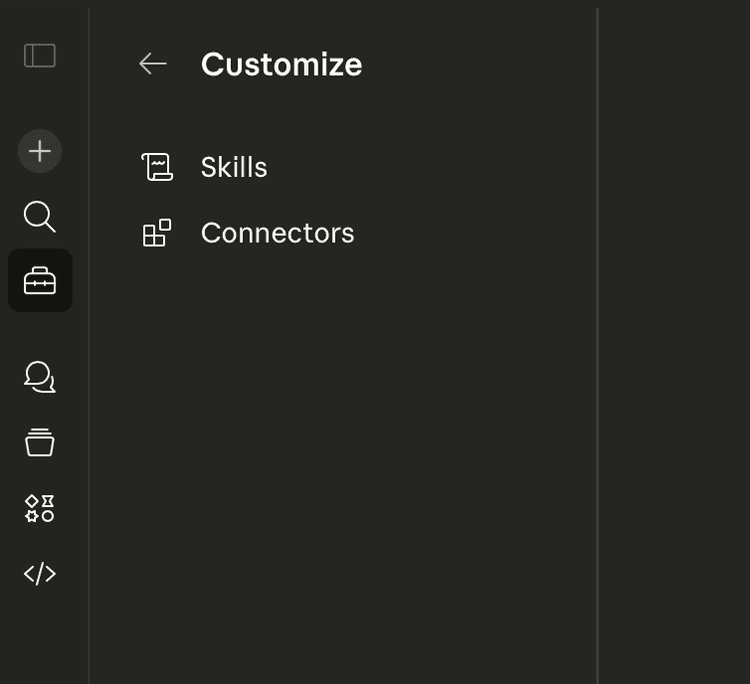
2Select Connectors
In the Customize menu, click Connectors.
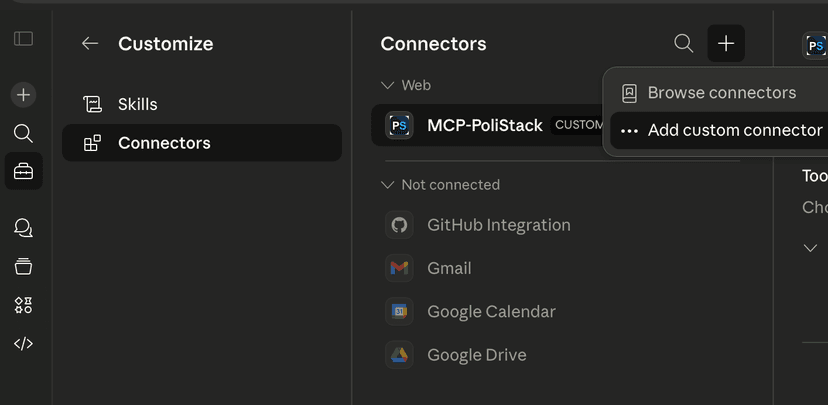
3Add Custom Connector
Click the + button in the Connectors panel and select Add custom connector.
4Enter Connector Details
Enter PoliStack as the connector name and paste the server URL below, then click Add.
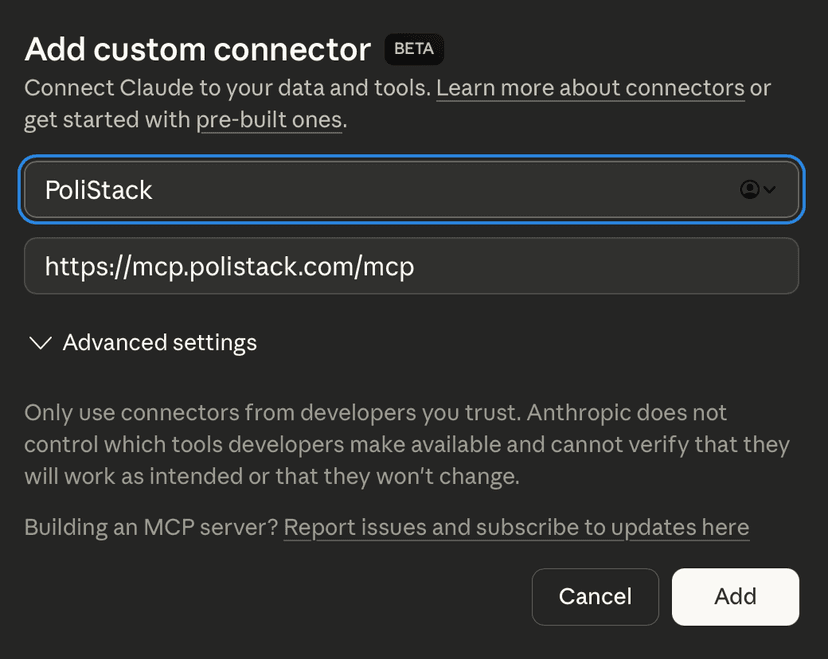
Server URL
https://mcp.polistack.com/mcp5Allow MCP Access
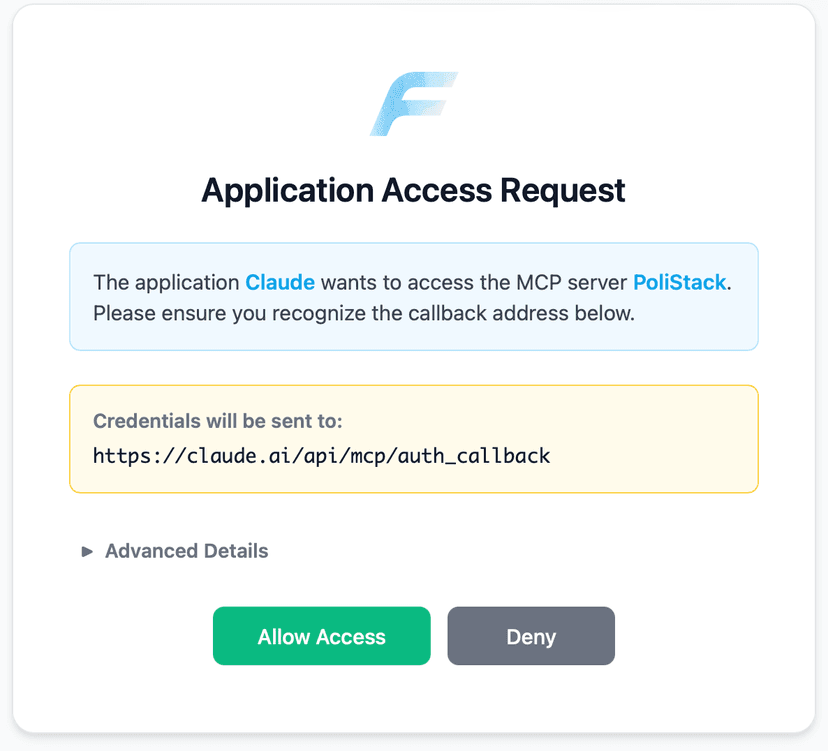
You'll see an Application Access Request page. Verify the callback address is claude.ai and click Allow Access.
6Sign In with Your Account
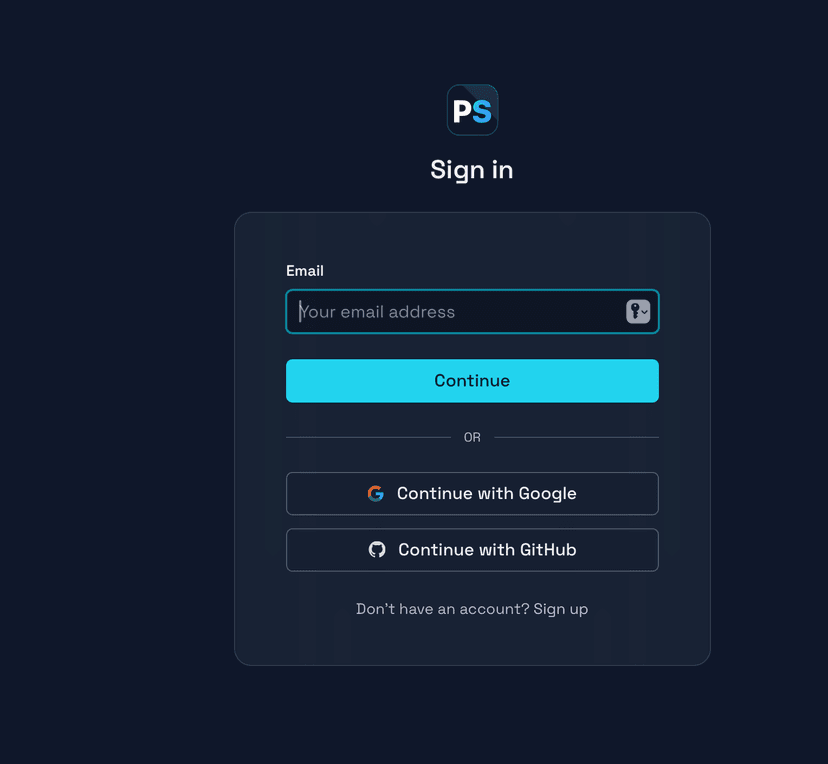
Sign in with your PoliStack account using email, Google, or GitHub. Once authenticated, PoliStack tools are immediately available across Claude web, desktop, and mobile.
Requires: A Claude account (Free, Pro, Max, Team, or Enterprise). To enable PoliStack in a conversation, click the + button in the chat input and select PoliStack.
1Enable Developer Mode
In ChatGPT, go to Settings → Apps → Advanced settings and toggle on Developer mode.
2Add PoliStack Connectors
In the Apps section, click Add more and create a new MCP app for PoliStack. Paste the server URL when prompted:
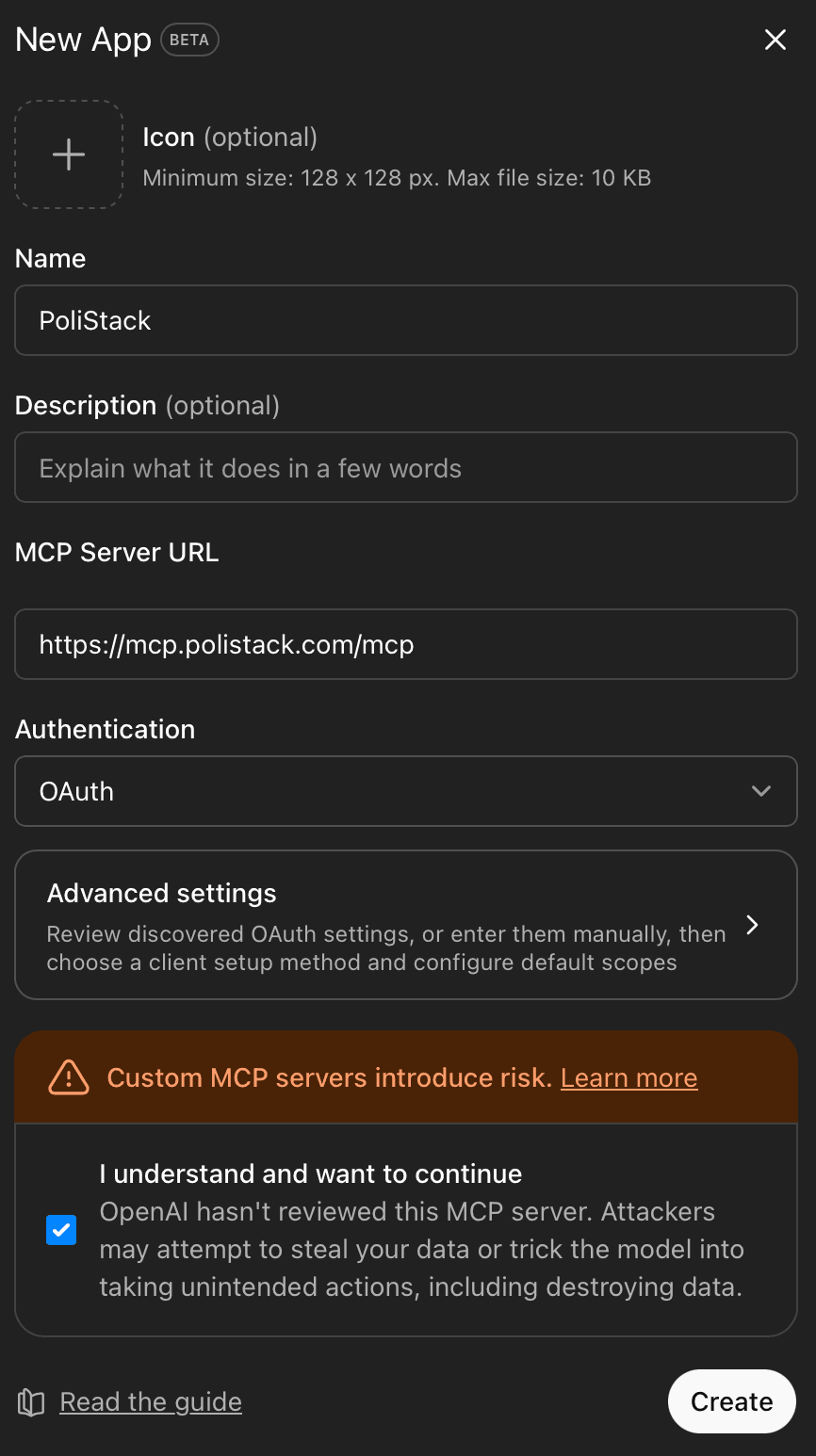
PoliStack Connector
https://mcp.polistack.com/mcpOne connection for all your PoliStack subscriptions
3Allow MCP Access
You'll see an Application Access Request page. Verify the callback address and click Allow Access.
4Sign In with Your Account
Sign in with your PoliStack account using email, Google, or GitHub. Once authenticated, enable PoliStack in any conversation by selecting it from the Apps menu in the chat input.
Requires: ChatGPT Plus, Pro, Team, Business, Enterprise, or Education plan. Developer Mode is currently in beta.
Having trouble connecting? Check our FAQ or contact support.